The ITSM online service in Teams has been decommissioned on April 26, 2024, please switch to the new ITSM online service in GenLink to get ITSM support.
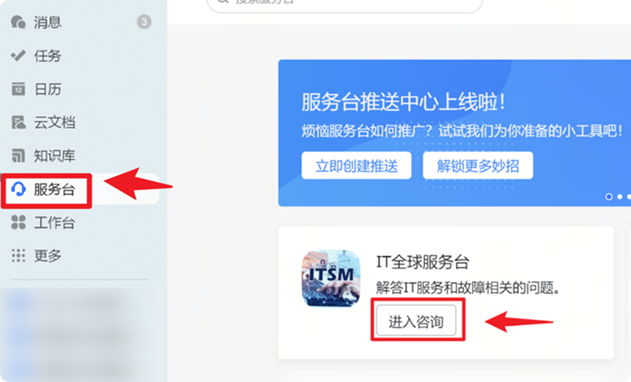
- On Computer
Run the GenLink program, find "Help Desk" on the left sidebar, click on it to find "ITSM Online Service".
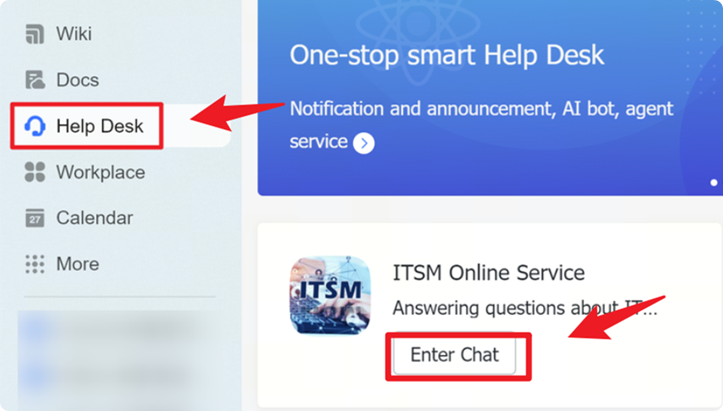
Or you can click the button below to the ITSM Online Service directly.
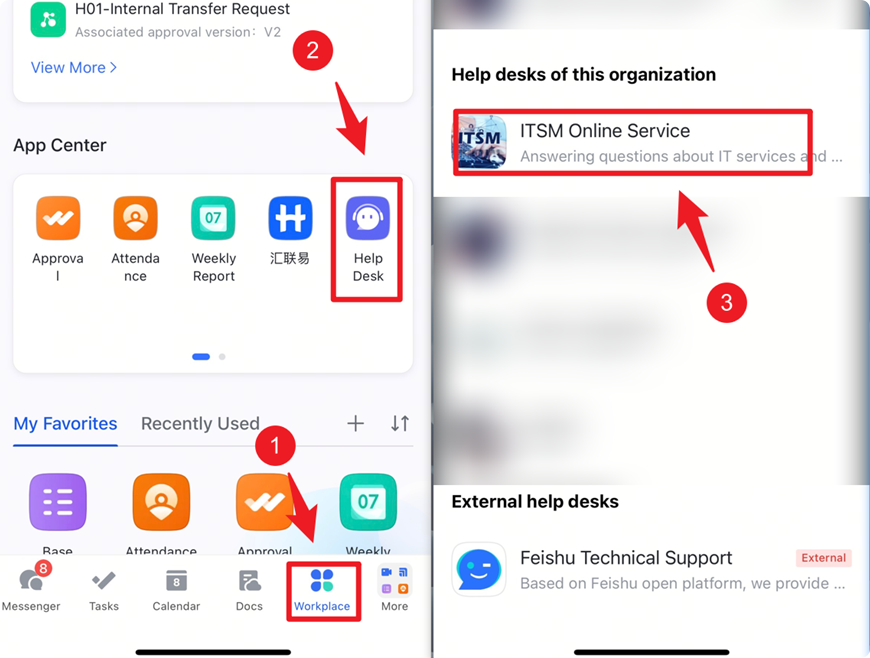
ITSM Online Service- On Your Mobile Devices
Run the Genlink mobile end application, find the Help Desk module in the bottom “workspace”, and click "Help Desk" in App Center. Then you can find the ITSM Online Service.
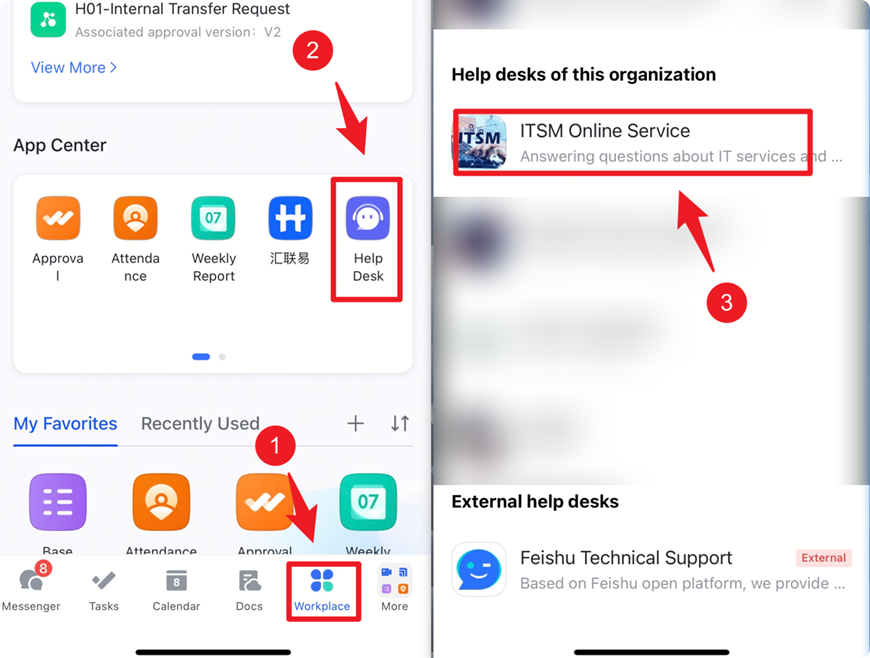
Or you can use GenLink mobile app to scan below QR code to the ITSM Online Service directly.